How to Install Recessed Lighting (DIY Guide, 2026)
Install recessed LED lights step-by-step. Layout planning, wiring, cutting drywall, and smart switch integration. Full DIY guide with cost and tool list.
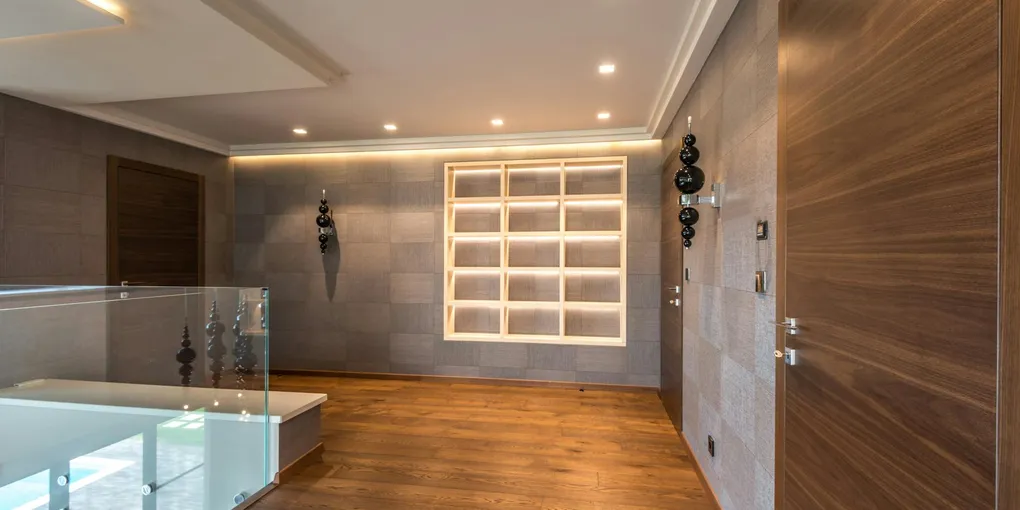
Installing recessed (can) lights costs $100-$200 per fixture DIY or $200-$500 per fixture with an electrician. A typical 6-light kitchen or living room upgrade runs $600-$1,200 DIY (fixtures + wire + switch) and takes 4-6 hours for a confident DIYer. Use remodel-rated LED recessed lights — they don't need attic access, mount directly from below, and include built-in dimmable LEDs rated 50,000 hours. Plan fixture spacing 4-6 feet apart for even coverage, and always turn off breaker and test before cutting into ceilings.
Frequently Asked Questions
Can I install recessed lighting myself?
Yes, if you're comfortable working with 120V wiring and can safely cut holes in drywall. The hardest part is getting wire from the switch to each fixture through existing ceiling framing. If there's no attic access, a pro may be faster. Always turn off the breaker and verify with a voltage tester before touching any wires.
Do recessed lights need a junction box?
Modern LED recessed lights have a junction box built into the trim — you connect power directly into it with wire nuts or push-in connectors. No separate box is needed. This is one reason modern remodel-rated LEDs are much easier than older can-style fixtures.
How many recessed lights do I need?
For general room lighting, plan one 4-inch fixture per 16 square feet or one 6-inch fixture per 24 square feet. A 12x12 living room needs 6-8 four-inch lights. Kitchen work zones need tighter spacing (3-4 feet apart over counters). Use an online recessed lighting calculator for your specific dimensions.
Can recessed lighting be on a dimmer?
Yes, if both the fixtures and the dimmer are compatible. Look for 'dimmable' on the fixture box (nearly all 2026 LEDs are) and pair with an LED-compatible dimmer like the Lutron Caseta or Leviton Decora Smart. Avoid old-style triac dimmers with LEDs — they cause flicker and humming.
Are remodel-rated fixtures as good as new-construction ones?
For most rooms, yes. Remodel-rated LEDs install from below without attic access — the included spring clips grip the drywall. The only downside: the trim sits slightly below the ceiling rather than flush. For new construction or a full drywall replacement, new-construction housings mount cleaner but are more work.
Do I need IC-rated fixtures?
Yes if the light will be in direct contact with insulation (most ceiling installs). IC (insulation contact) rated fixtures are sealed against insulation. Modern LED recessed lights are almost universally IC-rated and AT (airtight) rated, which prevents warm air leaking into the attic.
Installing recessed (can) lights costs $100-$200 per fixture DIY or $200-$500 per fixture with an electrician. A typical 6-light kitchen or living room upgrade runs $600-$1,200 DIY (fixtures + wire + switch) and takes 4-6 hours for a confident DIYer.
Recessed lighting is one of the highest-impact DIY upgrades for kitchens, living rooms, and basements. Done right, it replaces dim ceiling fixtures with layered, modern light that makes spaces feel larger and cleaner. This guide covers the full install: layout, tools, wiring, and switch integration.
What You’ll Need
Tools
- Drywall Saw or Hole Saw ($10-$30) — A basic jab saw works, but a dedicated hole saw kit makes perfect circles.
- Fish Tape or Glow Rods ($20-$50) — Essential for running wire between fixtures without attic access.
- Non-Contact Voltage Tester ($15-$25) — Verify power is off. Don’t skip this.
- Wire Strippers ($15-$30) — Klein 11055 is the DIY standard.
- Stud Finder with Joist Detect ($25-$50) — Avoid cutting into joists. Franklin ProSensor is foolproof.
- Step Ladder ($50-$100) — 6-foot for standard 8-foot ceilings.
Materials
- LED Recessed Lights (6-pack) ($60-$150) — 6-inch integrated LED is the standard. Get 2,700K-3,000K color temperature for warm, 4,000K for neutral.
- 14/2 NM-B Cable ($50-$100 for 100ft) — Standard residential lighting wire.
- Wire Nuts ($10-$20) — Wago 221 lever connectors are faster and safer than twist-on nuts.
- LED-Compatible Dimmer Switch ($30-$60) — Lutron Caseta for smart, Lutron Maestro for non-smart.
- Cable Staples or Romex Connectors ($5-$10) — To secure cable at the switch box and fixtures.
Before You Start: Code and Safety
Permits
Many jurisdictions require a permit for electrical work adding new fixtures or circuits. Most don’t require a permit for replacing an existing fixture with the same count. Check your local building department — the fine for unpermitted work can exceed the project cost.
Breaker Off, Always
Flip the breaker for the room’s lighting circuit. Use a non-contact voltage tester on:
- The switch wires (in the existing switch box)
- The wires at any existing fixture you’re removing
- The wires at any new fixture location where you’re tapping in
Three-way switches add complication — both switches cut power when off, but only one cuts power when on, so test at the fixture itself.
GFCI and AFCI
Bathrooms and damp areas require GFCI protection. Bedrooms require AFCI breakers. Most kitchens and living rooms don’t — but code varies by jurisdiction and edition. If unsure, ask your inspector.
Step 1: Plan the Layout
Spacing Rules
- 4-inch fixtures: One per 16 sq ft (4-foot spacing)
- 6-inch fixtures: One per 24 sq ft (5-foot spacing)
- Edge distance: Keep fixtures 24-36 inches from walls
For kitchens and work zones, use tighter spacing (3-4 feet) over counters and islands. For accent lighting over a fireplace or art, drop fixtures to 12-18 inches from the wall and angle trim toward the feature.
Draw the Ceiling
Measure your ceiling and sketch it on graph paper. Mark joists (typically 16 inches on center) and any obstacles — HVAC ducts, plumbing, attic access hatches. Plan fixture locations between joists, not on them.
Circuit Capacity
Each LED recessed light pulls 10-15 watts. A single 15-amp lighting circuit handles 120+ LED recessed lights in theory. If you’re adding to an existing circuit, count existing fixtures and appliances — kitchen lighting circuits often share with appliances and can get overloaded.
Step 2: Cut the Holes
Mark First
Hold the included cardboard template against the ceiling and trace with pencil. Confirm:
- No joist underneath (use the stud finder — cut into a joist and you’ll start over with a patch)
- No pipe, duct, or cable in the way (check from the attic if possible)
- Correct spacing from walls and other fixtures
Cut
Use a sharp drywall saw or a hole saw attachment on a drill:
- Drywall saw: Push the blade in at the edge of the pencil line and saw along the circle. Slow, but forgiving.
- Hole saw: Makes perfect circles fast, but no margin for error — drill into a joist and you’ll need a bigger patch.
Keep the cut disc — you can patch if you need to move the fixture.
Peek Before Committing
If the ceiling is drywall only (no existing ceiling above), you can cut a small inspection hole first. Shine a flashlight up to confirm clear space, then enlarge to full fixture size.
Step 3: Run the Wire
Easiest Path: Through the Attic
If you have attic access, run wire across the top of the joists. Staple every 48 inches. This is 10x easier than fishing through finished walls.
Without Attic Access: Fish Through the Ceiling
You’ll work fixture-to-fixture:
- Fish tape from the switch box up the wall, into the ceiling cavity
- From the first fixture hole, use a second fish tape or glow rod to grab the first tape’s end
- Pull cable through
- Repeat for each fixture (fixture 1 to fixture 2, etc.)
Tools that help:
- Glow rods (fiberglass) are easier than fish tape for reaching through small holes
- A small magnet on a string can help locate the end of the tape
- A flashlight through one hole helps spot the tape in the next
At the Switch Box
- Remove the old switch
- Note the existing wiring — one cable coming in (hot and neutral from panel), potentially a cable going out to the existing fixture
- Plan how you’ll connect: new cable joins existing hot and neutral at the switch, switch feeds new cable to fixtures
Step 4: Wire the Fixtures
Basic Residential Wiring
Black (hot): carries power. Connect to black (or brass screw) on the fixture. White (neutral): return path. Connect to white (or silver screw) on the fixture. Bare or green (ground): safety. Connect to ground screw on fixture, and wire together all grounds in any junction.
At the Fixture Junction Box
Each modern LED recessed light has a small integrated junction box. Open it, pull wires in through the knockout, and use Wago 221 lever connectors (fastest) or standard wire nuts.
Series Wiring
Most installs run one cable from the switch to the first fixture, then “in and out” at each fixture to the next in line. Two cables enter each middle fixture’s junction box:
- Incoming: from previous fixture or switch
- Outgoing: to next fixture
Connect all blacks together, all whites together, all grounds together. Fixture pigtails connect to each group.
Step 5: Install the Housings
Remodel-Rated (Most Common)
- Push housing up through the drywall hole from below
- Spring clips on the side flip out and grip the drywall from above
- The fixture should sit flush with the ceiling surface
New-Construction Housings
- Mount to joists with screws before drywall is hung
- Only an option in major renovations or new builds
Troubleshooting Fit
- Housing too deep to fit? You’ve hit insulation or a joist. Relocate or push insulation aside.
- Hole too big? Use oversized trim ring (most brands sell one) or patch and re-cut.
- Hole too small? Widen with the drywall saw, carefully.
Step 6: Install Bulbs and Trim
Integrated LED (Easiest)
The bulb and trim are one unit that twists or pushes into place. Installation takes 10 seconds per fixture.
Separate Bulb and Trim
- Install LED bulb into the socket inside the housing
- Clip trim ring onto the housing (most use spring clips)
Color Temperature Choice
- 2,700K-3,000K (warm white): Cozy, bedroom, living room
- 3,500K-4,000K (neutral white): Kitchen, office, bathroom
- 5,000K+ (daylight): Workshop, garage — too harsh for main living areas
Many 2026 LEDs have selectable color temperature on the fixture — great for flexibility.
Step 7: Install the Dimmer Switch
Wire the Dimmer
- Connect the existing hot (black) from panel to the dimmer’s line (often black)
- Connect the load (wire going out to fixtures) to the dimmer’s load (often red or also black)
- Connect the neutrals together with a wire nut
- Connect the ground
Test Dimming Range
Turn power back on. Test:
- Full on: fixtures at max brightness, no flicker
- Dim to 50%: smooth dimming, no flicker or humming
- Dim to 10%: fixtures should still light — if they cut off or flicker, the dimmer isn’t LED-compatible
If you see flicker: Swap to a different LED-rated dimmer. Lutron Caseta and Lutron Maestro have the best LED compatibility.
Cost Breakdown
DIY (6-Light Living Room)
| Item | Cost |
|---|---|
| 6x LED recessed lights (6-pack) | $80-$150 |
| 100 ft of 14/2 NM-B cable | $60-$90 |
| LED-compatible dimmer switch | $30-$60 |
| Wago 221 connectors | $15 |
| Misc (staples, screws) | $10 |
| Total Materials | $195-$325 |
Professional
Electrician rates run $75-$150/hour. A 6-light install typically takes 4-6 hours. Expect $500-$1,000 for labor + materials combined, or $800-$1,500 for a more complex install (no attic access, multiple switches, older home).
When to Hire a Pro
- Knob-and-tube wiring (must be upgraded before adding fixtures)
- No attic access AND no crawlspace above
- Multi-way switching beyond 3-way
- Cathedral ceilings or structural beams in the way
Smart Integration
Smart Dimmers
- Lutron Caseta — Requires hub, works with HomeKit/Alexa/Google. Gold standard.
- Leviton Decora Smart — No hub, Wi-Fi direct. Works if you have strong Wi-Fi.
- Kasa Matter Dimmer — Budget pick, Matter-over-Thread, works across most ecosystems.
Smart LEDs
Color-changing and color-temperature-selectable LED recessed fixtures:
- Philips Hue Recessed — Best color, requires Hue bridge
- Wiz Recessed — No bridge, Wi-Fi only, budget option
Note: Smart fixtures use more energy at standby (1-2 watts each) and reset if power cuts. Most homeowners don’t need them — a smart dimmer on regular LEDs gives 90% of the benefit.
Common Mistakes to Avoid
Cutting Into Joists
If you hit a joist with the hole saw, stop. Patch the hole with the cut disc (spackle, sand, paint). Relocate the fixture 2-3 inches to the side.
Wrong Color Temperature
Installed 12 recessed lights at 5,000K (daylight) in a bedroom? The space will feel like a dentist’s office. Check the color temperature on the package before cutting holes.
Cheap Dimmer with LEDs
A $10 dimmer with $100 worth of LEDs will flicker, hum, and burn out. Use a proper LED-compatible dimmer from the start.
Skipping the Voltage Test
Wiring without testing = shock, injury, fire. Always verify power off. Always.
Mixing LED Drivers on One Dimmer
If some fixtures flicker but others don’t, you’ve mixed incompatible LED drivers. Use the same brand and model for all fixtures on the same dimmer.
When to Skip DIY
- Cathedral or vaulted ceilings: Special fixtures and scaffolding required.
- Old knob-and-tube wiring: Must be upgraded before adding fixtures.
- No attic access AND finished basement below: Wire-running becomes extremely difficult.
- Structural engineered beams: Can’t cut into them — professional layout needed.
Related Reading
- How to Install a Dimmer Switch — dimmer wiring detail
- How to Install Under Cabinet Lighting — complement recessed lighting in kitchens
- How to Replace a Light Switch — switch basics
- How to Install a GFCI Outlet — electrical work safety primer
- Best Smart Thermostats — other smart home upgrades
- How to Install a Ceiling Fan With No Existing Wiring — wire-running techniques apply here
- Recessed Lighting Installation Cost — what an electrician charges per light
- How to Fix a Broken GFCI Outlet — troubleshoot a tripped GFCI on the lighting circuit
- How to Fish a Wire Through a Wall — wire-routing technique for running circuit cable between fixtures
- Plan the layout
Sketch the ceiling and mark fixture locations 4-6 feet apart. Stay at least 12 inches from walls to avoid joists and wall scalloping.
- Turn off power and test
Flip the breaker controlling the existing light circuit. Use a non-contact voltage tester on the wires at the switch box and at any existing fixture to confirm power is off.
- Cut holes with the template
Use the cardboard template included with each fixture. Trace, then cut with a drywall saw or hole saw. Keep the piece — you can patch if you mis-cut.
- Run wire from switch to fixtures
Fish 14/2 or 12/2 NM-B cable from the switch box to the first fixture, then in series to each subsequent fixture. Use fish tape if going through walls without attic access.
- Wire the fixtures
Connect black-to-black, white-to-white, and ground-to-ground in the junction box on each fixture. Tuck wires inside and close the box.
- Install the housing
Push the fixture up into the hole. Spring clips grip the drywall from above. For new-construction, screw housings to joists before drywall.
- Install bulbs and trim
For integrated LEDs, the trim and bulb are one unit — just twist or push into place. Separate-bulb fixtures: install bulb, then clip trim.
- Turn power back on and test
Flip the breaker, test each fixture with the switch, and verify the dimmer works smoothly across the full range.
Free: 10-Point Home Maintenance Checklist
Prevent costly repairs with this seasonal checklist. Save hundreds every year by catching problems early.
Your checklist is ready!
Open Checklist →Something went wrong. View the checklist here.