Best Smart Thermostats 2026: Nest vs Ecobee vs Honeywell — Which Saves More?
Best overall: Google Nest Learning Thermostat 4th Gen ($279). Best for room sensors: Ecobee Premium ($249). Most save 10–15% on HVAC costs, paying back in under 2 years. Head-to-head: Nest vs Ecobee vs Honeywell vs Amazon Smart Thermostat.
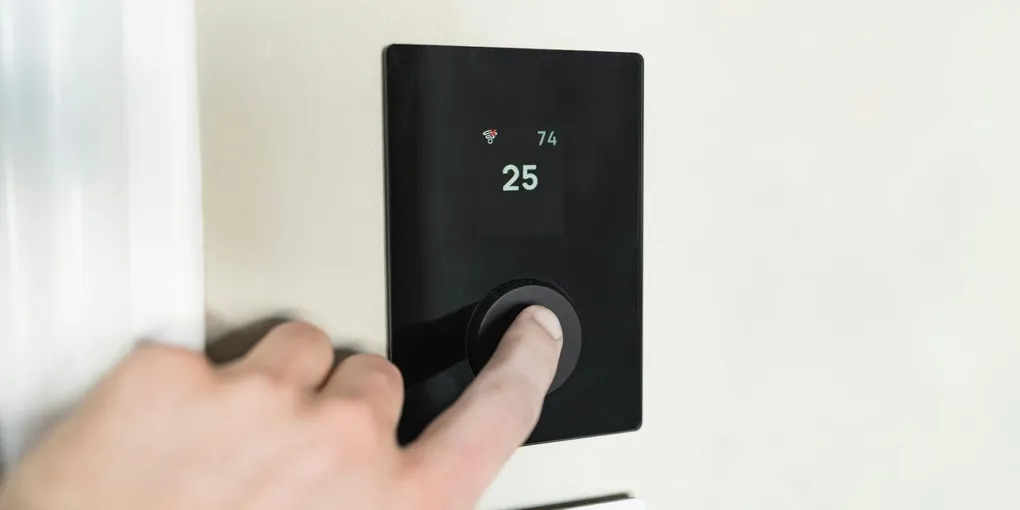
The best smart thermostat for most homes is the Google Nest Learning Thermostat 4th Gen ($279) for its set-and-forget learning ability, or the Ecobee Premium ($249) if you want room sensors and broad HVAC compatibility. Most homeowners save 10-15% on heating and cooling, recouping the cost within two years.
Frequently Asked Questions
Do smart thermostats actually save money on energy bills?
Yes. The EPA estimates 10-15% savings on heating and cooling, translating to $150-200 per year for the average household. Savings are highest if you currently forget to adjust your thermostat when leaving home.
What if my home does not have a C-wire for a smart thermostat?
Most modern smart thermostats handle this. Nest uses power harvesting, Ecobee includes a PEK adapter that repurposes an existing wire, and some models like the Amazon and Emerson Sensi can run on batteries in certain configurations.
Can I install a smart thermostat myself?
Most homeowners can install one in 20-30 minutes with a Phillips screwdriver. Turn off HVAC power at the breaker, photograph existing wiring, and follow the app setup. Hire a pro if you have more than six wires, zoned HVAC, or a geothermal system.
What is the best budget smart thermostat?
The Amazon Smart Thermostat at $59 (often on sale for $35-45) is the best budget option. It offers remote control, scheduling, and geofencing through Alexa, but it only works with Amazon's ecosystem and lacks learning features or room sensors.
Which smart thermostat works with Apple HomeKit?
The Ecobee Smart Thermostat Premium and Emerson Sensi Touch 2 both offer full, reliable Apple HomeKit support. The Sensi Touch 2 ($119) is the most affordable option with strong HomeKit integration.
Nest vs Ecobee — which smart thermostat is better in 2026?
Nest Learning Thermostat 4th Gen ($279) wins if you want a hands-off experience: it learns your schedule automatically and requires minimal setup after the first two weeks. Ecobee Smart Thermostat Premium ($249) wins if you want room-level temperature control: the included SmartSensor reads temperature in a specific room (not just the hallway where the thermostat lives) and prioritizes comfort where people actually are. Key differences: Nest has no room sensors; Ecobee includes one. Ecobee has broader HVAC compatibility (better for heat pumps with aux heat). Nest works without a C-wire in more installs. Ecobee supports Apple HomeKit, Alexa, and Google simultaneously; Nest's HomeKit support is limited. For most single-zone homes with standard heating and cooling: Nest is simpler and slightly better-looking hardware. For multi-room comfort or complex HVAC: Ecobee is the better choice.
How much money does a smart thermostat save per year?
The EPA estimates smart thermostats save 10–15% on heating and cooling costs annually. On an average U.S. energy bill ($2,000–$2,500/year with HVAC representing roughly half), that's $100–$175/year in savings. Payback period: a $60 Amazon thermostat pays back in under a year; a $279 Nest pays back in 2–3 years. Actual savings depend heavily on your current habits: if you already manually adjust your thermostat when you leave and at night, smart thermostat savings are smaller (5–8%). If you leave heat or AC running at full temperature while away or sleeping, savings are higher (15–25%). Homes in extreme climates (hot summers, cold winters) see the largest absolute savings because the HVAC system runs harder.
The best smart thermostat for most homes is the Google Nest Learning Thermostat 4th Gen ($279) for its set-and-forget learning ability, or the Ecobee Premium ($249) if you want room sensors and broad HVAC compatibility.
Your HVAC system is responsible for about half your home’s energy bill. A smart thermostat won’t fix an aging furnace or a poorly insulated attic, but it will stop you from paying to heat or cool an empty house. Most homeowners save 10-15% on heating and cooling after switching — that’s $150-$200 a year on an average utility bill. The thermostat pays for itself in under two years, sometimes faster — making it one of the best eco-friendly home improvements you can make.
The problem is the market is flooded with options at every price point, and not all of them live up to the marketing. This guide covers the five models worth buying in 2026, what makes each one different, and how to figure out which one fits your setup.
What to Look for Before You Buy
Compatibility with Your HVAC System
This is the most important thing to check before you order anything. Most smart thermostats work with standard single-stage heating and cooling systems. If you have a heat pump, multi-stage equipment, or a high-voltage system (240V baseboard heaters), your options narrow quickly.
Most manufacturers have a compatibility checker on their website. Use it. Enter your current thermostat’s wiring terminals and it will tell you whether the model will work.
The C-Wire Situation
A common wire (C-wire) provides constant 24V power to the thermostat. Older homes often don’t have one run to the thermostat. Without a C-wire, some thermostats steal power from the heating/cooling circuits, which can cause short-cycling or erratic behavior.
Options if you don’t have a C-wire: some thermostats include a power adapter kit, some use AA batteries, and some (like the Ecobee) come with a PEK adapter that repurposes an existing wire. Google Nest has its own power-harvesting system that works without a C-wire in most setups, though not all.
Check your current thermostat’s wiring before purchasing. If you have a wire connected to the C terminal, you’re good. If not, factor in whether you want to run a new wire or rely on the manufacturer’s workaround.
Smart Home Ecosystem
If you’re already using Alexa, Google Home, or Apple HomeKit — perhaps with a smart doorbell — pick a thermostat that plays nicely with that ecosystem. You’ll use it more if you can control it with the same app and voice assistant you already have set up.
Most top-tier thermostats now support all three major platforms, but check the specifics — not all features carry over through every integration.
Learning vs. Programmable
Learning thermostats (Nest, Ecobee) adjust automatically based on your schedule and habits. Programmable thermostats let you set specific schedules manually. Learning sounds better on paper, but it works best in households with consistent routines. If your schedule varies week to week, a programmable model with geofencing — where the thermostat adjusts based on your phone’s location — often outperforms a learning thermostat in practice.
The Best Smart Thermostats for 2026
1. Google Nest Learning Thermostat (4th Gen)
Price: $279
The Nest Learning Thermostat is the benchmark. Google has refined this product through four generations and it shows. The 4th gen model added a color display and improved the learning algorithm significantly over the 3rd gen unit that sat stagnant for years.
It works by learning your preferences over the first week or two of use, then building a schedule automatically. Most users don’t touch the schedule settings at all after the initial setup period. The Farsight feature activates the display when you walk toward it, showing time, temperature, or weather.
No C-wire is required in most installations — Nest’s power-harvesting system handles it. Setup takes about 20 minutes if your existing wiring is straightforward.
Best for: Homeowners who want a set-it-and-forget-it experience and don’t mind paying for premium hardware.
Downsides: Expensive. The learning algorithm needs time to figure out unusual schedules. If you have a heat pump with auxiliary heat, test the compatibility checker carefully — some configurations require additional wiring.
2. Ecobee Smart Thermostat Premium
Price: $249
The Ecobee has a different philosophy than Nest. Instead of learning your schedule, it focuses on room-by-room temperature monitoring through wireless SmartSensors (one included in the box). The thermostat can detect occupancy in specific rooms and prioritize heating or cooling where people actually are, rather than just reading the temperature at the thermostat location — which is often a hallway that nobody spends time in.
The Premium model includes a built-in air quality monitor, smoke alarm detection, and Siri, Alexa, and Google Assistant all built directly into the unit. You can use it as a standalone smart speaker. It also includes an internal backup battery that keeps it running during brief power outages.
The Ecobee works with heat pumps, multi-stage systems, and humidifiers/dehumidifiers — broader compatibility than most competitors. The PEK adapter solves the C-wire problem for most homes.
Best for: Homes where temperature varies between rooms, households with heat pumps or more complex HVAC systems, Apple HomeKit users.
Downsides: The SmartSensor approach requires you to place sensors in the right rooms for it to work well. The app is more complex than Nest’s. The built-in Alexa microphone is a privacy concern for some users — it can be turned off but not physically disconnected.
3. Honeywell Home T9
Price: $149
The T9 is Honeywell’s best smart thermostat and it competes with the Ecobee in one important way: it also uses remote room sensors (sold separately, about $40 each) to monitor temperature and occupancy throughout the house. The main difference is price. At $149, the T9 is about $100 cheaper than the Ecobee Premium and delivers similar room-sensing functionality.
The interface is clean and the app is straightforward. It supports Alexa and Google Assistant, and has basic HomeKit support. Geofencing works reliably — it detects when you leave home and shifts to an energy-saving mode automatically.
Best for: Budget-conscious buyers who want room sensors without paying Ecobee prices. Good for homes with two or three rooms where temperature comfort matters most.
Downsides: Room sensors cost extra. The learning features are basic compared to Nest. The physical thermostat hardware feels less premium than the Nest or Ecobee. Some users report the Honeywell app is less polished than competitors.
4. Amazon Smart Thermostat
Price: $59
The Amazon Smart Thermostat is the budget pick. At $59 (frequently on sale for $35-$45), it costs less than one month’s savings for most households. It’s a simple, Alexa-native device with geofencing, scheduling, and Hunches — Amazon’s system that automatically adjusts settings based on your routines.
It’s not a learning thermostat and doesn’t have room sensors. What it does is give you remote control, scheduling, and Alexa integration at a price that makes the ROI calculation easy. If you have an Amazon household already, this makes sense.
The Energy Dash feature gives you basic energy usage reports. It supports ENERGY STAR certification requirements and works with Alexa routines.
Best for: Renters who want a smart thermostat without a big investment, Alexa households on a budget, or anyone who wants a basic upgrade from a manual thermostat without overthinking it.
Downsides: No Google Home or HomeKit support at all — it’s Alexa only. No learning features. Basic display. Limited compatibility with complex HVAC systems. If you ever switch away from Amazon’s ecosystem, this thermostat loses most of its value.
5. Emerson Sensi Touch 2
Price: $119
The Sensi Touch 2 is the practical choice for homeowners who want a reliable, well-supported smart thermostat without the premium price. It has a clean touchscreen display, geofencing, flexible scheduling, and solid app support across iOS and Android.
Emerson positions this as a contractor-friendly product — HVAC technicians often recommend it because it’s straightforward to install and configure. The compatibility is broad: it works with most residential HVAC systems including multi-stage equipment and heat pumps.
It supports Alexa, Google Assistant, Apple HomeKit, and SmartThings. That last one matters if you have a Samsung-ecosystem home. HomeKit support is full and reliable, which is not always the case with budget thermostats.
Best for: Homeowners who want solid HomeKit integration at a mid-range price, those with multi-stage HVAC systems, and anyone who values simplicity over feature depth.
Downsides: No learning features. No room sensors. The display is functional but not impressive. Doesn’t stand out in any one area — it’s a “good at everything, great at nothing” product.
Quick Comparison
| Model | Price | C-Wire Required | Learning | Room Sensors | Best Ecosystem |
|---|---|---|---|---|---|
| Google Nest Learning (4th Gen) | $279 | No | Yes | No | Google Home |
| Ecobee Smart Thermostat Premium | $249 | No (PEK adapter) | Partial | Yes (1 included) | All three |
| Honeywell Home T9 | $149 | Yes | Basic | Yes (sold separately) | Alexa / Google |
| Amazon Smart Thermostat | $59 | No | No | No | Alexa only |
| Emerson Sensi Touch 2 | $119 | No | No | No | All three |
If you want the best thermostat with no compromises: Nest Learning Thermostat 4th Gen. If you have a heat pump or want room sensors: Ecobee Smart Thermostat Premium. If you want room sensors at lower cost: Honeywell Home T9. If you’re on a budget and use Alexa: Amazon Smart Thermostat. If you want reliable HomeKit support at mid-range: Emerson Sensi Touch 2.
Installation: What to Expect
Most homeowners can install a smart thermostat in 30 minutes. See our full step-by-step smart thermostat installation guide for wiring details, C-wire troubleshooting, and heat pump setup. The process is the same regardless of which model you choose.
What you’ll need: A Phillips head screwdriver, your phone to photograph the existing wiring, and the app downloaded before you start.
Step one: Turn off power to your HVAC system at the breaker. Don’t skip this. Shorting thermostat wires with the power on can damage your HVAC control board — a repair that costs hundreds of dollars.
Step two: Remove the old thermostat from the wall and photograph the wiring before disconnecting anything. Every wire should be labeled with a letter (R, G, Y, W, C, etc.). The photo is your reference if anything gets confusing.
Step three: Label each wire with the included stickers (every smart thermostat comes with these), then disconnect them. Remove the old backplate from the wall.
Step four: Mount the new backplate. If the old wiring is short, you may need to pull more wire through from the wall — this is the one step that occasionally requires a second set of hands.
Step five: Connect each wire to the matching terminal on the new thermostat. Reconnect power. Follow the in-app setup.
The app will walk you through everything after that, including entering your HVAC equipment details for accurate compatibility and scheduling.
When to call a pro: If you have more than six or seven wires, a transformer, zoned HVAC, or a geothermal system, hire an HVAC technician. The thermostat itself is inexpensive — a miswired installation can damage equipment that costs thousands of dollars to repair.
The best smart thermostat for most homeowners in 2026 is the Google Nest Learning Thermostat ($130) — it programs itself in a week, works with most HVAC systems, and is proven to save 10–15% on heating and cooling costs. For Amazon households, the Ecobee Smart Thermostat Premium ($220) adds a built-in Alexa speaker and room sensors. Budget pick: Honeywell Home T6 Pro ($70) — no Wi-Fi but excellent programmable logic at a fraction of the cost.
Frequently Asked Questions
Do smart thermostats actually save money? Yes, but the savings depend on your current habits. If you already manually adjust your thermostat consistently, the savings are smaller. If you’re running heat or AC at full blast while away from home, the savings are significant. The EPA estimates 10-15% savings on heating and cooling, which translates to $150-$200 per year for the average household.
What if I don’t have a C-wire? Most modern smart thermostats handle this. Nest uses power harvesting. Ecobee includes a PEK adapter. Amazon and Emerson Sensi run on batteries in some configurations. Check the compatibility tool for your specific model.
Will a smart thermostat work with my old furnace? Likely yes, as long as it’s a standard 24V system. Compatibility issues usually arise with high-voltage electric systems, proprietary heat pump controls, or very old equipment without standard wiring. Use the manufacturer’s compatibility checker before ordering.
Can I install it myself? Most homeowners can. The average installation with standard wiring takes 20-30 minutes. If you’re not comfortable with basic wiring or your system is complex — especially if you’re preparing your home for winter — hire a pro — most HVAC companies will install a customer-supplied thermostat for $75-$150.
Do smart thermostats work during a power outage? No, unless your HVAC system has a battery backup. The Ecobee Premium has an internal battery that preserves settings, but it won’t run your heating or cooling during an outage. That requires a separate generator or battery backup system.
Is the data privacy concern real? Your thermostat does collect occupancy and usage data. Google, Ecobee, Amazon, and Honeywell all have privacy policies that explain what they collect and how it’s used. If this concerns you, the Emerson Sensi Touch 2 collects the least data among the options listed here and has a straightforward privacy policy.
Related Reading
- How to Install a Smart Thermostat — step-by-step wiring guide
- AC Tune-Up Cost — pair efficiency upgrades with a professional service
- How to Seal Leaky Ductwork — fix the ducts before upgrading the thermostat
- Best Air Purifiers for Allergies and Pet Hair — complete your home air quality setup
- How to Install a Programmable Thermostat — non-smart programmable option for schedule-based savings without app control
Google Nest Learning Thermostat (4th Gen)
Best Overall- Auto-learns schedule in 1-2 weeks
- Color display + Farsight proximity sensor
- No C-wire required in most installs
- Premium hardware feel
- Expensive vs. competitors
- Heat pumps with aux heat need compatibility check
Ecobee Smart Thermostat Premium
Best for Heat Pumps + HomeKit- SmartSensor included (room-level temperature)
- Built-in air quality monitor + smoke detection
- Full Alexa, Google, HomeKit support
- PEK adapter solves C-wire problem
- More complex app than Nest
- Built-in mic raises privacy questions
Honeywell Home T9
Best Mid-Range with Room Sensors- Supports remote room sensors
- Reliable geofencing
- ~$100 cheaper than Ecobee Premium
- Clean, simple interface
- Sensors sold separately (~$40 each)
- Requires C-wire
- Hardware feels less premium
Amazon Smart Thermostat
Best Budget- Lowest price of any name-brand smart thermostat
- Geofencing + Alexa Hunches auto-adjustments
- ENERGY STAR certified
- Alexa-only (no Google/HomeKit)
- No learning or room sensors
- Basic display
Emerson Sensi Touch 2
Best HomeKit at Mid-Range- Full Apple HomeKit + Alexa + Google + SmartThings
- Contractor-friendly install
- Broad HVAC compatibility (multi-stage + heat pumps)
- Collects the least user data in class
- No learning or room sensors
- Display is functional but plain
Free: 10-Point Home Maintenance Checklist
Prevent costly repairs with this seasonal checklist. Save hundreds every year by catching problems early.
Your checklist is ready!
Open Checklist →Something went wrong. View the checklist here.