How to Install a Smart Thermostat: Step-by-Step Guide (2026)
Install a smart thermostat yourself in 30 minutes. This guide covers compatibility checking, wiring a Nest or Ecobee to your existing HVAC system, and troubleshooting common issues like missing C-wire.
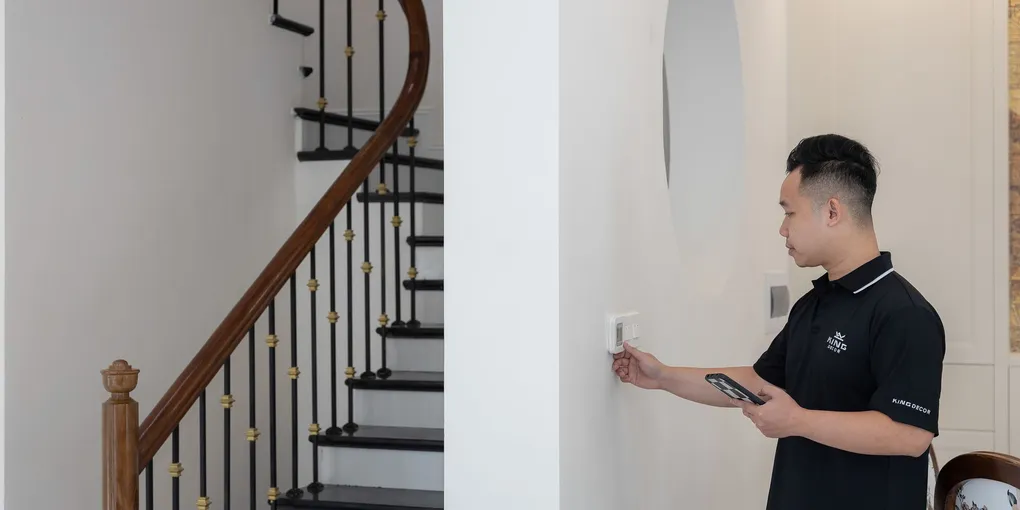
Installing a smart thermostat takes 20–40 minutes and requires no electrician. Turn off your HVAC at the breaker, photograph the old wiring, label each wire with the included stickers, disconnect the old thermostat, connect wires to matching terminals on the new thermostat base, and restore power. The only common complication is a missing C-wire — both Nest and Ecobee include adapters or workarounds for this.
Frequently Asked Questions
Do I need a C-wire for a smart thermostat?
Most smart thermostats need a C-wire (common wire) to power themselves continuously — it's the return path that completes the 24V circuit. Nest thermostats can sometimes work without a C-wire using 'power stealing' from the heating/cooling wires, but this can cause equipment short-cycling. Ecobee includes a Power Extender Kit (PEK) adapter that works with 2-wire systems. If you have a newer HVAC system (post-2010), you likely have a C-wire bundled unused in the thermostat cable.
How do I know if my HVAC system is compatible with a smart thermostat?
Smart thermostats work with most central forced-air heating and cooling systems: gas furnaces, heat pumps, electric furnaces, and central AC. They do NOT work with line-voltage systems (240V baseboard heaters), multi-stage boilers (hydronic/radiant heat), or window AC units. Both Nest and Ecobee have compatibility checkers on their websites — enter your current wiring terminal labels to confirm before buying.
What do the thermostat wire colors mean?
Wire colors vary by system age and installer, so always go by the terminal label, not the wire color. Standard labels: R or Rh = 24V power (red), Rc = 24V cooling power (red), C = common/return (blue or black), Y or Y1 = cooling/compressor (yellow), G = fan (green), W or W1 = heat (white), W2 or Aux = second stage heat (white), O/B = heat pump reversing valve (orange or blue). Your old thermostat's terminal labels are the reference — photograph them before disconnecting.
Can I install a smart thermostat on a heat pump?
Yes, but heat pump wiring has an extra terminal. Heat pumps use an O or B terminal for the reversing valve (which switches between heating and cooling mode). During installation, you'll need to specify that you have a heat pump in the thermostat setup — the thermostat needs to know whether your reversing valve is energized in cooling mode (O) or heating mode (B). Ecobee and Nest both support heat pumps, including dual-fuel systems.
Why is my smart thermostat showing a low battery or not turning on?
If the thermostat isn't turning on, the most common cause is a missing or faulty C-wire connection. Confirm the C terminal has a wire connected on both the thermostat base and at the furnace/air handler control board. If you're using a power adapter (Ecobee PEK or Nest adapter), check the connections at the furnace end. Also verify the HVAC breaker is on.
Installing a smart thermostat takes 20–40 minutes and requires no electrician. Turn off your HVAC at the breaker, photograph the old wiring, label each wire with the included stickers, disconnect the old thermostat, connect wires to matching terminals on the new thermostat base, and restore power.
A smart thermostat is one of the fastest-payback upgrades in any home — Nest and Ecobee both claim $100–$150/year in energy savings from learning your schedule and optimizing run times. Professional installation costs $100–$200, but the wiring is simple enough for most DIYers: you’re working with low-voltage (24V) control wiring, not line voltage.
The entire job takes 30–40 minutes once you’ve confirmed compatibility. The most common complication — a missing C-wire — has a straightforward fix.
Step 1: Check compatibility before you buy
Smart thermostats work with most forced-air heating and cooling systems but have limits. Confirm before purchasing:
Compatible:
- Gas furnace with central AC
- Heat pump (single-stage and multi-stage)
- Electric furnace
- Dual-fuel systems (heat pump + gas backup)
Not compatible:
- Electric baseboard heaters (line voltage — 120V or 240V, not 24V low voltage)
- Radiant floor heating / hydronic boilers (most, not all)
- Millivolt systems (old floor furnaces and some fireplaces)
- Window AC or portable AC units
Quick check: Look at your existing thermostat’s wiring. If the wires coming out of the wall are thin (18–22 gauge) and low voltage, you almost certainly have a compatible system. If you see thick wires (like lamp cord), you have a line-voltage system and a standard smart thermostat will not work.
Both Nest and Ecobee have compatibility tools on their websites where you enter your current terminal labels to confirm.
Step 2: What you’ll need
- Smart thermostat (Nest Learning Thermostat, Ecobee Premium, or Honeywell T9 are top picks — see our best smart thermostats roundup)
- Phillips screwdriver
- Small flathead screwdriver (for terminal screws)
- Smartphone camera (to photograph the old wiring)
- Optional: non-contact voltage tester for peace of mind
The thermostat box includes wire labels (small stickers). Use them — don’t skip this.
Step 3: Turn off power at the breaker
Go to your electrical panel and turn off the breaker for your HVAC system. This is typically labeled “Furnace,” “Air Handler,” or “HVAC.” There may be separate breakers for the furnace and the condenser — turn off both.
Thermostats run on 24V low-voltage power, so working with the wall switch off is technically safe, but HVAC control boards can be damaged by shorting wires together with the system live. Turn the breaker off.
Step 4: Remove and document the old thermostat
- Remove the thermostat from its base by pulling it straight off (most clip on) or unscrewing it.
- Photograph the wiring clearly before touching anything. You want a clear image of each wire and which terminal it’s connected to — both the letter on the terminal and the wire color. This is your reference if anything goes wrong.
- Use the wire label stickers from your new thermostat box to label each wire with its terminal letter. Label before disconnecting — once wires are loose it’s easy to lose track.
- Loosen the terminal screws and disconnect each wire. As you pull each wire out, wrap it around a pencil or tape it to the wall so it doesn’t fall back into the hole.
Common terminals you’ll see:
| Terminal | Function | Common wire color |
|---|---|---|
| R or Rh | 24V power (heat) | Red |
| Rc | 24V power (cooling) | Red |
| C | Common (return) | Blue or black |
| Y or Y1 | Cooling / compressor | Yellow |
| G | Fan | Green |
| W or W1 | Heat (stage 1) | White |
| W2 / Aux | Heat (stage 2 or aux) | White |
| O/B | Heat pump reversing valve | Orange or blue |
| E | Emergency heat (heat pumps) | — |
If R and Rc are jumpered together: Many older thermostats connect R and Rc with a jumper wire. On your new thermostat, you’ll typically only use the Rh terminal unless the new thermostat’s documentation specifies otherwise.
Step 5: Install the new thermostat base
- Unscrew the old thermostat base from the wall.
- Feed the wires through the hole in the new base plate.
- Level the base plate and mark the screw holes. If the old screw holes don’t align, use the included wall anchors.
- Screw the base to the wall.
- If there’s a gap between the base and the wall (from a larger old thermostat), most smart thermostats include a trim plate to cover it.
Step 6: Connect the wires
Match each labeled wire to the corresponding terminal on the new thermostat base. The terminal labels are printed or embossed next to each connector slot.
Connection method: Most smart thermostats use push-in connectors. Strip about 1/4 inch of insulation if needed (wires are usually pre-stripped from the old thermostat), insert the wire, and press the release lever or push button to lock it in. Give each wire a gentle tug to confirm it’s secure.
If you have an Rh and Rc terminal: Connect R to Rh. Leave Rc empty unless your old thermostat had a separate Rc wire (dual-transformer system — less common).
Dealing with no C-wire
Open the old thermostat wall base and look for a bundled-but-unused wire in the cable bundle. It’s common to have a C-wire present at the wall but not connected at the thermostat. If you find one, connect it to C on both the thermostat and the furnace control board.
If there’s genuinely no C-wire in the cable bundle:
- Ecobee: Use the included Power Extender Kit (PEK). It connects at the furnace control board and converts G and Y to carry power — you lose independent fan control, but heating and cooling work normally.
- Nest: Uses “power stealing” — it slowly charges an internal battery using the heating and cooling wires. This works in many systems but can cause short-cycling in sensitive HVAC equipment. Nest sells a separate C-wire adapter if needed.
- Run a new C-wire: If your thermostat cable has an unused wire (many cables have 4–5 wires even if only 3–4 are connected), connect that wire to C at both ends. At the furnace control board, connect the wire to the C terminal.
Step 7: Attach the thermostat and restore power
- Snap or clip the thermostat display onto the base.
- Turn the HVAC breaker(s) back on.
- Follow the thermostat’s on-screen setup: connect to Wi-Fi, select your heating/cooling equipment type (gas furnace, heat pump, etc.), confirm terminals detected.
- The thermostat will run a test — it will activate your heat, cooling, and fan briefly to confirm wiring is correct.
Step 8: Configure and test
After setup, test each mode manually:
- Heat: Set the temperature above current room temp. The furnace should start within 1–2 minutes.
- Cool: Set temperature below current room temp. The compressor should start within 5 minutes (most systems have a 5-minute compressor delay to protect the equipment).
- Fan only: The fan should run without heating or cooling.
If heating or cooling doesn’t start: Check that the breaker is on, confirm all wires are seated at the terminals (give each a tug), and re-check the C-wire connection.
Common problems
“No power” or blank screen: C-wire issue. Either the C terminal isn’t connected, the wire isn’t seated fully, or the furnace-end connection is loose. Check both ends.
HVAC short-cycling (turning on and off rapidly): Often a C-wire power issue. The thermostat is power-stealing from the heating wire and interfering with the heat call. Connect a proper C-wire or use the included adapter.
Thermostat says “Delayed” on cooling: Normal — most thermostats enforce a 5-minute compressor protection delay after the last cooling cycle. Not a problem.
Heat pump blowing cold in heat mode: The O/B terminal setting may be wrong. Trane and American Standard use B (reversing valve energized in heating mode). Most other brands use O (energized in cooling mode). Check your heat pump documentation or call the manufacturer.
Old wall paint showing around new thermostat: Use the included trim plate, or paint the area before installing the base.
What a pro charges
An HVAC technician charges $75–$200 to install a smart thermostat, including labor, typically on top of a service call fee. For a straightforward thermostat swap, this is rarely worth it — the wiring is low voltage, the terminals are labeled, and the app-guided setup walks you through every step. Hire a pro only if your system is unusual (boiler, multi-zone, complex heat pump wiring) or if you’re not comfortable working near electrical panels.
Related guides
- Best Smart Thermostats — Nest vs. Ecobee vs. Honeywell comparison and top picks
- How to Change a Furnace Filter — do this every time you service the thermostat
- HVAC Maintenance Checklist — annual system tune-up tasks
- How to Install a Smart Doorbell — same low-voltage DIY skill set
- Central Air Conditioning Installation Cost — when the thermostat swap turns into a bigger project
- Confirm compatibility before buying
Smart thermostats work with most central forced-air systems (gas furnace, heat pump, electric furnace, central AC) but not with line-voltage electric baseboard heaters (120V/240V), most hydronic boilers, or window AC units. Use the Nest or Ecobee compatibility checker online — enter your current terminal labels to confirm before purchasing. If wires at your thermostat are thin 18–22 gauge, you almost certainly have a compatible low-voltage system.
- Turn off power and document the old wiring
Turn off the HVAC breaker(s) at the panel — both furnace and condenser if separate. Remove the old thermostat from its base. Photograph the wiring clearly, showing each wire and its terminal label. Attach the wire label stickers from the new thermostat box to each wire before disconnecting — label while connected, not after. Loosen terminal screws and disconnect each wire; tape each wire to the wall so it can't fall back into the hole.
- Mount the new base and handle the C-wire
Unscrew the old thermostat base and mount the new base plate level on the wall — use the included wall anchors if hole positions differ. Feed wires through the base center hole. If a C (common) wire is missing: check inside the old base for a bundled unused wire in the cable — connect it to C at both the thermostat and the furnace control board. No unused wire: Ecobee includes a Power Extender Kit (PEK) adapter; Nest can use power-stealing but a dedicated C-wire adapter is more reliable.
- Connect wires to the new thermostat base
Match each labeled wire to the corresponding terminal on the new base. Most smart thermostats use push-in connectors: strip 1/4 inch of insulation if needed, insert the wire, and lock it in. Connect R to Rh (or per the new thermostat's instructions). Travelers: Y for cooling, G for fan, W for heat, O/B for heat pump reversing valve. Give each wire a gentle tug to confirm it's fully seated.
- Attach thermostat, restore power, and test all modes
Snap the thermostat display onto the base. Restore HVAC breaker(s). Follow the on-screen setup: connect to Wi-Fi, select equipment type (gas furnace, heat pump, etc.). The thermostat runs a wiring test activating each mode briefly. After setup: manually test heat (set above room temp — furnace should start within 2 minutes), cool (set below room temp — compressor starts within 5 minutes due to protection delay), and fan-only. If display is blank or shows no power: check the C-wire connection at both the thermostat base and the furnace control board.
Free: 10-Point Home Maintenance Checklist
Prevent costly repairs with this seasonal checklist. Save hundreds every year by catching problems early.
Your checklist is ready!
Open Checklist →Something went wrong. View the checklist here.