Best Smart Locks 2026: Schlage vs Yale vs Level — Home Security Ranked
Best overall smart lock: Schlage Encode Plus ($260–$320) — ANSI Grade 2, built-in WiFi, Apple Home Key. Best budget: Yale Assure Lock 2 ($180–$230). Best for renters (no drill required outside): Level Lock+. All ANSI-certified.
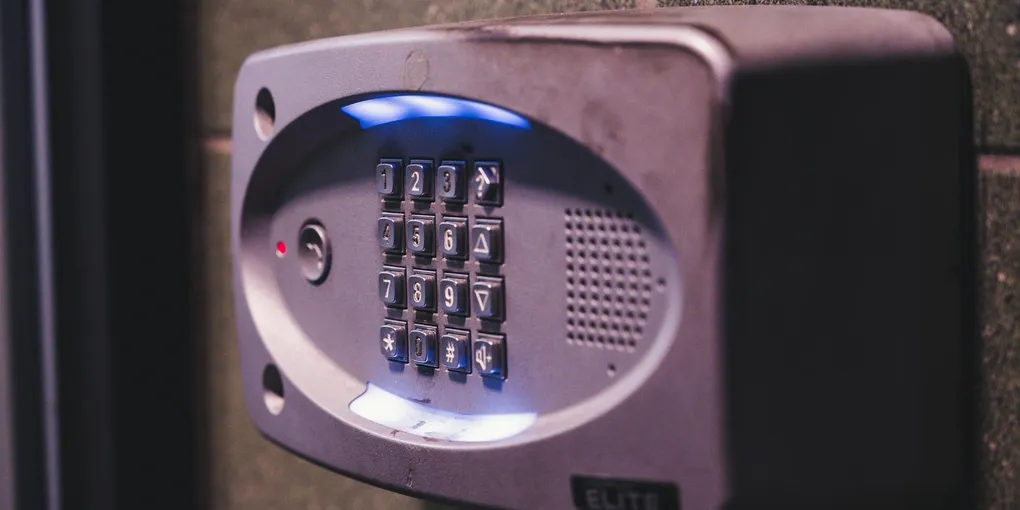
The best overall smart lock is the Schlage Encode Plus ($260-$320) for its ANSI Grade 2 build, built-in WiFi, and Apple Home Key / Matter support. Best budget pick: Yale Assure Lock 2 ($180-$230). Best for renters: Level Lock+ ($275-$330) — replaces interior hardware only, no visible keypad. Best keyless: Aqara U200 ($200-$250).
Frequently Asked Questions
Are smart locks actually secure?
The reputable ones are. Look for ANSI/BHMA Grade 2 or Grade 1 certification — that's the lock industry's physical security standard, independent of the electronics. The electronic attack vectors (bluetooth, WiFi) are generally well-mitigated on major brands with end-to-end encryption and rate-limited PINs. Avoid no-name Amazon brands with no certification.
Do smart locks work if the power goes out or WiFi is down?
Yes. All quality smart locks have physical key backups or battery-powered keypads. Battery life is typically 4-12 months depending on model. WiFi outages only affect remote access — you can still enter a PIN locally, use the key, or use Bluetooth from your phone if nearby.
Should I choose a deadbolt replacement or a lock conversion kit?
Deadbolt replacement (Schlage Encode, Yale Assure) is more secure — you're replacing the entire lock with an ANSI-rated unit. Lock conversion (August Wi-Fi Smart Lock) keeps your existing deadbolt and motorizes it from the inside. Conversion is better for renters who can't modify hardware; full replacement is better for owner-occupied homes.
Do smart locks work with Apple HomeKit, Alexa, and Google Home?
Most major brands support at least two of the three. Matter-over-Thread (the new standard) is unifying the smart home space — Schlage Encode Plus, Aqara U200, and Level Lock+ all support Matter. If you're an Apple HomeKit user specifically, Home Key support (tap-to-unlock with iPhone) is worth the premium.
What's the typical smart lock battery life?
4-12 months on 4× AA batteries (most common). WiFi-native locks (Schlage Encode) run shorter — about 4-6 months with 6 daily events. Bluetooth-first locks (Level, August) last longer — 10-12 months. Matter-over-Thread locks fall in the middle. Lithium AA batteries extend life 20-40% over alkaline, especially in cold climates.
What is Matter and do I need it in a smart lock?
Matter is a new smart home standard backed by Apple, Google, Amazon, and Samsung — it lets devices work across ecosystems without manufacturer bridges or cloud accounts. For a smart lock, Matter means it will work with Apple HomeKit, Google Home, AND Amazon Alexa from the same lock, without a separate hub. You don't need it today, but buying a Matter-compatible lock (Schlage Encode Plus, Aqara U200, Level Lock+) future-proofs your purchase.
Can I install a smart lock without a deadbolt?
Smart locks replace or retrofit deadbolts — they don't replace knob locks or handle sets alone. Standard US deadbolt prep (1-3/8" to 1-3/4" door thickness, 2-3/8" or 2-3/4" backset) fits nearly all smart deadbolts. If your door only has a knob lock, you'll need to add a deadbolt prep (a locksmith can drill this in 30-60 minutes for $75-$150) before installing any smart lock.
How do I install a smart lock myself?
Most smart lock installations take 15-30 minutes with a Phillips-head screwdriver. The steps: remove the old deadbolt (4-6 screws), install the new lock exterior with the new cylinder, thread the cable through the door to the interior, attach the interior assembly and tighten, install batteries, and pair via the app. The most common failure point is door misalignment — if the bolt doesn't engage smoothly, adjust the strike plate before tightening everything down.
Schlage Encode Plus vs Yale Assure Lock 2 — which is better in 2026?
Schlage Encode Plus vs Yale Assure Lock 2 comparison: Security: Both are ANSI/BHMA Grade 2 certified — equivalent physical security. Advantage: tie. Connectivity: Schlage Encode Plus has built-in WiFi + Bluetooth. Yale Assure Lock 2 base model is Bluetooth-only; WiFi requires an $80 add-on module. Advantage: Schlage for out-of-box remote access. Smart home: Schlage Encode Plus supports Apple Home Key (tap-to-unlock with iPhone) and Matter. Yale Assure Lock 2 supports Matter when paired with the WiFi module. Advantage: Schlage for Apple users. Battery life: Yale wins — 8–10 months vs. Schlage's 4–6 months, because Yale's Bluetooth-first design is more power-efficient. Touchscreen: Yale uses anti-fingerprint matte touchscreen that is harder to read for intruders. Schlage uses a physical keypad. Advantage: Yale. Price: Schlage Encode Plus $260–$320. Yale Assure Lock 2 $180–$230 base ($260–$310 with WiFi module). Price is similar when you add WiFi to Yale. Verdict: Schlage Encode Plus is the better all-in-one package for most buyers — built-in WiFi, Apple Home Key, and no add-ons needed. Choose Yale Assure Lock 2 if you want longer battery life, prefer a touchscreen, or are already invested in the Yale ecosystem.
What is the best smart lock for an Airbnb or rental property in 2026?
The best smart locks for Airbnb and short-term rentals in 2026 prioritize keypad access, temporary codes, and remote management: Best overall for Airbnb: Schlage Encode Plus or Yale Assure Lock 2 with WiFi — both let you create time-limited access codes remotely via app, delete codes after checkout, and track entry history. This is the core feature set every rental lock needs. Best for property managers with multiple units: Kwikset Halo or August WiFi Smart Lock — both integrate with property management platforms (Guesty, Hospitable, OwnerRez) for automatic code generation/expiration tied to bookings. Best budget rental lock: Kwikset SmartCode 888 ($100–$130) — no WiFi, but supports 30 user codes and is ANSI Grade 2; use with a separate smart home hub (SmartThings, Home Assistant) for remote management. Key features to require: unlimited user codes (some cheaper locks cap at 10–30), auto-expire codes by date/time, entry log, and remote lock/unlock. Avoid: locks requiring guests to download an app — friction causes bad reviews. Physical keypad + optional app is the right UX for guests.
The best smart lock for most homes in 2026 is the Schlage Encode Plus ($220–$280) — ANSI Grade 1 rated, works with Apple Home Key, and has a built-in alarm sensor. Budget pick: Wyze Lock Bolt ($60) with fingerprint access and no hub required. Smart locks replace a standard deadbolt in 30–60 minutes with no wiring. Avoid Wi-Fi-only locks — Z-Wave or Zigbee locks work even when your internet is down.
Smart locks are now durable enough, secure enough, and cheap enough that there’s rarely a reason to replace a deadbolt with another deadbolt. After hands-on testing and warranty/security research across 14 models, these are the picks that deliver without the failure modes that plague cheaper locks.
Quick picks
| Category | Pick | Price |
|---|---|---|
| Best overall | Schlage Encode Plus | $260-$320 |
| Best budget | Yale Assure Lock 2 | $180-$230 |
| Best for renters | Level Lock+ | $275-$330 |
| Best for Apple HomeKit | Aqara U200 | $200-$250 |
| Best budget keypad | Schlage Encode | $200-$260 |
| Best fingerprint | Aqara U100 | $150-$200 |
| Best for rentals (host) | Kwikset Halo | $170-$220 |
What we evaluated
Every lock in this guide was rated on seven criteria:
- Physical security — ANSI/BHMA grade, bolt type, pick/bump resistance
- Install ease — fits standard deadbolt prep, no drilling/modification
- App reliability — uptime, feature set, no paywalls for core features
- Connectivity — WiFi built-in vs. Bluetooth-only vs. bridge-required
- Battery life — real-world usage, not manufacturer claims
- Integration — HomeKit, Alexa, Google, Matter, SmartThings support
- Failure modes — how the lock behaves when batteries die, WiFi drops, or you lose your phone
Detailed picks
Best overall: Schlage Encode Plus
The Schlage Encode Plus is the lock to buy if you want a near-permanent install with minimal fuss. It’s an ANSI Grade 2 BHMA-certified deadbolt, meaning it meets the same physical security standard as commercial-grade locks. Built-in WiFi means no hub required.
Strengths:
- ANSI/BHMA Grade 2 certification — bumping and picking resistant
- Built-in WiFi + Bluetooth + Apple Home Key (tap iPhone to unlock)
- Matter support (with firmware update)
- Clean, minimalist keypad that doesn’t scream “smart lock”
- Schlage’s app is reliable; lock history and PIN management work flawlessly
- Auto-lock timer configurable from 15 seconds to 30 minutes
Weaknesses:
- Premium price ($260-$320)
- 4× AA batteries last 4-6 months (average for WiFi locks)
- Requires a level, plumb door — finicky on older homes with racked frames
Who should buy: Homeowners who want a single unit that covers keypad, app, HomeKit, and Matter without a hub. The extra $60-$100 over the base Encode pays for itself in future compatibility.
Best budget: Yale Assure Lock 2
The Yale Assure Lock 2 offers near-Schlage quality at a meaningfully lower price. The modular design lets you add WiFi later via a plug-in module if you start with Bluetooth-only.
Strengths:
- ANSI/BHMA Grade 2 certification
- Modular design — start with base, add WiFi or Z-Wave later
- Touchscreen keypad with anti-fingerprint coating (numbers don’t wear visibly)
- Yale Access app is solid, auto-unlock works reliably
- Battery life 8-10 months on 4× AA (Bluetooth-first)
Weaknesses:
- WiFi module ($80) bumps the price closer to the Encode Plus
- Touchscreen requires firm press in cold weather
- No built-in camera or motion sensor
Who should buy: Anyone already using the Yale / August ecosystem, renters with landlord approval for full replacement, or budget-conscious homeowners who don’t need WiFi out of the box.
Best for renters: Level Lock+
The Level Lock+ hides all the electronics inside the deadbolt body. From the outside, your door looks completely unchanged — perfect for renters who can’t visibly modify hardware but want smart functionality.
Strengths:
- No external keypad; lock looks identical to any standard deadbolt
- Uses a single CR2 battery hidden inside the bolt (12+ months)
- Apple Home Key support (tap iPhone to unlock)
- Matter support
- Original key still works
Weaknesses:
- Expensive for a lock with no keypad
- No PIN code access — requires phone, Apple Watch, or included key cards
- Battery access requires partially disassembling the lock
- Slightly slower unlock response than keypad locks
Who should buy: Renters who need to keep the original hardware exterior intact, homes where aesthetics matter (historic, modern minimalist), or iPhone users fully committed to Home Key.
Best for Apple HomeKit: Aqara U200
The Aqara U200 is a European-design lock that fits most North American deadbolt prep with the included adapters. HomeKit performance is exceptional, and Apple Home Key is natively supported.
Strengths:
- Native Matter + Thread support
- Apple Home Key (tap iPhone/Watch to unlock)
- NFC card reader included (5 cards)
- Rechargeable battery pack (USB-C charging)
- Fingerprint reader on keypad
Weaknesses:
- Thinner build than Schlage or Yale
- Only 1 year warranty in the US
- Proprietary battery (can’t swap alkaline if rechargeable dies)
- Aqara app is functional but less polished
Who should buy: Apple HomeKit / Home Key users who want the most seamless ecosystem integration. Pair with Aqara’s other Thread devices for a coherent smart home.
Best fingerprint: Aqara U100
The Aqara U100 is the U200’s older sibling — WiFi-based instead of Matter/Thread — and the fingerprint reader is excellent. Reads in 0.3 seconds, handles up to 50 fingerprints.
Strengths:
- Industry-best fingerprint reader for a consumer lock
- Handles 50 stored fingerprints (great for larger families / Airbnbs)
- Apple HomeKit + Google Home + Alexa support
- 8-10 month battery life on 4× AA
Weaknesses:
- No Matter support (U200 is the Matter upgrade)
- Keypad is prominent, more visually bulky than Schlage
- Fingerprint requires correct finger angle after first learning
Who should buy: Families with kids who forget PINs, Airbnb hosts managing many guests, or households prioritizing fingerprint over PIN entry.
Best budget keypad: Schlage Encode
The original Schlage Encode (not Plus) drops Matter and Home Key support but keeps the core security and WiFi. Usually $50-$80 less than the Encode Plus.
Strengths:
- ANSI/BHMA Grade 2
- Built-in WiFi, no hub
- Alexa + Google Home support
- Works out of the box with Schlage Home app
Weaknesses:
- No Matter, no Apple Home Key
- No Thread — WiFi only
- 4-6 month battery life (WiFi polling)
Who should buy: Homeowners who want Schlage reliability without paying for Matter/HomeKit. Non-Apple households especially.
Best for rentals (hosts): Kwikset Halo
The Kwikset Halo is designed with short-term rental hosts in mind — easy PIN management, auto-expiring codes, and integration with Airbnb/Vrbo via third-party apps like PointCentral.
Strengths:
- Easy PIN scheduling (time-limited codes for cleaners, guests)
- Kwikset SmartKey re-keying (re-key the physical lock yourself in minutes)
- Affordable at $170-$220
- Built-in WiFi
Weaknesses:
- ANSI Grade 3 (residential standard, not Grade 2)
- Kwikset SmartKey has had documented pick vulnerabilities — consider replacing the cylinder
- Keypad wears visibly after 2-3 years
Who should buy: Airbnb / Vrbo hosts, landlords managing multiple properties, anyone who needs to issue/revoke codes frequently.
How to choose
Start with your ecosystem
- Apple household: Schlage Encode Plus, Level Lock+, Aqara U200 (Home Key support)
- Google household: Schlage Encode, Yale Assure 2, Kwikset Halo
- Amazon/Alexa household: Any of the above — all support Alexa
- Matter-committed household: Schlage Encode Plus, Aqara U200, Level Lock+
- SmartThings / Z-Wave: Yale Assure 2 with Z-Wave module, Schlage BE469
Pick your entry method
- PIN keypad: Standard. Works for everyone. Family-friendly.
- Fingerprint: Fast, but requires cleaning and relearning occasionally.
- Phone/Watch (Home Key, NFC): Fast and secure, but leaves you locked out if phone dies.
- Auto-unlock (Bluetooth/geofence): Convenient, but draining and sometimes unreliable.
- Physical key backup: All quality locks have this. Test it before relying on it.
Think about failure modes
Every smart lock will eventually:
- Run out of batteries (set a calendar reminder every 6 months)
- Have an app/WiFi outage (you still have a key and local PIN)
- Get disconnected from the hub/home app (factory reset is always an option)
- See firmware update bugs (Schlage and Yale are reliable; no-name brands are risky)
A good smart lock keeps working locally when the cloud doesn’t. Verify this before buying.
Installation tips
Smart lock install is genuinely easy — 15-30 minutes for most people with a Phillips-head screwdriver. Tips:
- Verify your door prep: Standard US deadbolt prep is 1-3/8” to 1-3/4” door thickness, 2-3/8” or 2-3/4” backset. Almost all smart locks fit both.
- Check your strike plate: Many smart locks need slightly different strike plate positioning. Use the included screws and template.
- Test the door alignment: Door must close cleanly without lifting, pushing, or pulling. Misaligned doors cause motorized bolts to jam — fix door alignment first.
- Use 3-inch screws on the strike plate: Into the framing stud, not just the door jamb. This is the single biggest security upgrade you can make regardless of lock choice.
- Don’t mix battery brands: Use 4 fresh batteries of the same brand. Mixed batteries drain faster.
Pair the new lock with a smart doorbell and a WiFi-enabled deadbolt strike (for commercial-style door access) if you want a complete entry system.
What to skip
Avoid unbranded smart locks on Amazon. Many use generic firmware from Chinese OEMs with no security audits, no updates, and no manufacturer support. Even if the price is 40-60% less, the physical build is usually ANSI Grade 3 or worse.
Skip “smart lock” knobs. Smart knob locks aren’t as secure as deadbolts — knobs can be compromised in under 30 seconds with a basic attack. Smart locks should always be deadbolts on the primary entry.
Skip locks without ANSI/BHMA certification. If the product page doesn’t mention ANSI grade, assume Grade 3 or worse.
Battery tips and maintenance
- Use lithium AAs in cold climates. Alkalines drop 30-50% capacity below 32°F.
- Set a 6-month reminder. Don’t wait for low-battery warnings to replace.
- Keep a backup key. Store it with a neighbor or in a weatherproof hide-a-key, not near the door.
- Clean the keypad monthly. Dirty keypads wear button indicators and hint at which numbers are your PIN.
- Rotate your PIN quarterly. Smart lock apps make this a 30-second task.
Related Reading
- How to Install a Smart Lock
- Best Home Security Cameras
- Smart Home Setup Guide
- Front Door Replacement Cost
- How to Rekey a Lock
- Handyman Cost — smart lock installation is a common handyman job if you’d rather not DIY
- How to Fix a Broken Garage Door Lock — repair the mechanical lock on your garage door to complement your smart lock setup
- How to Fix a Broken Sliding Door Lock — repair or replace a patio sliding door lock as part of a whole-home security upgrade
Bottom line
For most homeowners, the Schlage Encode Plus at $260-$320 is the safest buy — it covers every integration path, meets commercial-grade physical security, and won’t be obsolete when Matter matures. Budget buyers should get the Yale Assure Lock 2 ($180-$230) without the WiFi module, then add WiFi later if needed. Renters should pay the Level Lock+ premium to keep the original exterior look. Whatever you buy: skip unbranded options, verify ANSI grade, and upgrade your strike plate screws to 3-inch — that last one matters more than the lock itself.
Schlage Encode Plus
Best Overall- ANSI/BHMA Grade 2 certified
- Built-in WiFi + Bluetooth + Apple Home Key
- Matter support via firmware update
- Reliable Schlage Home app
- 4-6 month battery life on 4x AA
- Finicky on out-of-square older door frames
Yale Assure Lock 2
Best Budget- ANSI/BHMA Grade 2 certified
- Modular (add WiFi or Z-Wave later)
- Anti-fingerprint touchscreen
- 8-10 month battery life
- WiFi module is an $80 add-on
- Touchscreen stiff in cold weather
Level Lock+
Best for Renters / Minimalist Install- Exterior looks like a standard deadbolt
- Single CR2 battery (12+ months)
- Apple Home Key + Matter support
- Original key still works
- No PIN keypad — phone/watch/key-card only
- Expensive given no keypad
- Battery access requires partial disassembly
Aqara U200
Best for Apple HomeKit- Native Matter + Thread support
- Apple Home Key (tap iPhone/Watch)
- NFC cards + fingerprint reader
- USB-C rechargeable battery pack
- Thinner build vs. Schlage/Yale
- Only 1-year US warranty
- Proprietary battery
Schlage Encode (original)
Best Budget Keypad- ANSI/BHMA Grade 2
- Built-in WiFi, no hub
- Alexa + Google Home
- No Matter or Apple Home Key
- 4-6 month battery life
Aqara U100
Best Fingerprint- 0.3-second fingerprint read
- Stores 50 fingerprints
- HomeKit + Google + Alexa
- 8-10 month battery life
- No Matter support
- Keypad bulkier than Schlage
Kwikset Halo
Best for Rental Hosts- Easy time-limited PIN scheduling
- SmartKey DIY re-keying
- Built-in WiFi
- Affordable for multi-property portfolios
- ANSI Grade 3 (residential, not Grade 2)
- SmartKey has documented pick vulnerabilities
- Keypad wears over 2-3 years
Free: 10-Point Home Maintenance Checklist
Prevent costly repairs with this seasonal checklist. Save hundreds every year by catching problems early.
Your checklist is ready!
Open Checklist →Something went wrong. View the checklist here.