How to Fix a Wobbly Ceiling Fan in 10 Minutes (No Electrician Needed)
A wobbling ceiling fan is almost always a blade weight imbalance — fix it in 10 minutes with a $3 blade balancing kit. No wiring, no electrician needed.
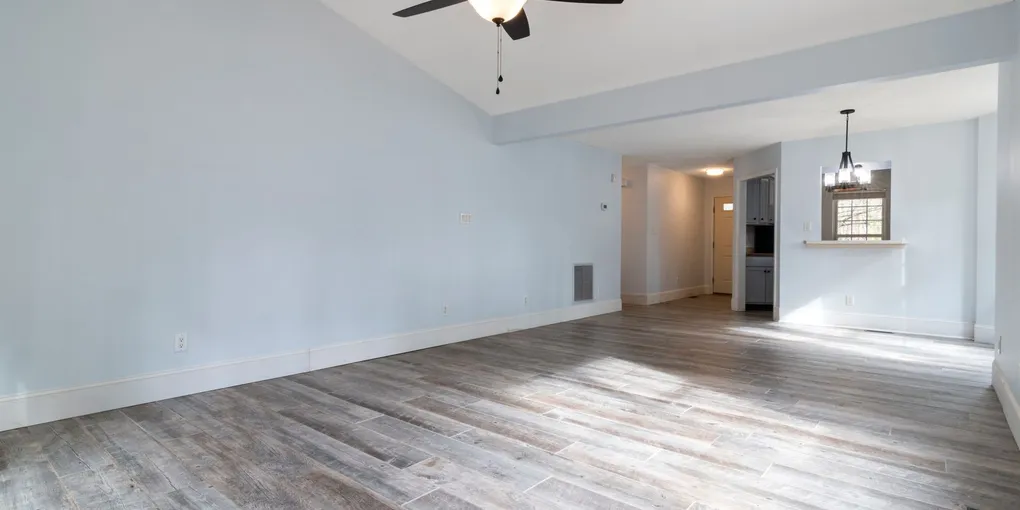
A wobbling ceiling fan is annoying, potentially noisy, and — in severe cases — a sign of a structural problem that could allow the fan to fall. The good news is that most ceiling fan wobble has a simple fix: tightening a few screws and balancing the blades.
A wobbling ceiling fan is annoying, potentially noisy, and — in severe cases — a sign of a structural problem that could allow the fan to fall. The good news is that most ceiling fan wobble has a simple fix: tightening a few screws and balancing the blades. This guide walks through every cause of fan wobble, from easiest to most involved, so you can solve it without calling an electrician.
Safety First: Cut the Power
Before touching anything, flip the circuit breaker that controls the fan. Even with the wall switch off, the fixture box is still live. Confirm the power is dead with a non-contact voltage tester held near the canopy before you reach up to inspect connections.
Step 1: Check and Tighten All Blade Screws
This is where most wobble problems originate. Each ceiling fan blade is held to a blade bracket (also called an arm or iron) by two or three small screws, and the bracket itself attaches to the fan motor housing with additional screws.
- Use a step ladder to reach the fan safely.
- With a Phillips screwdriver, tighten every screw connecting each blade to its bracket. Work in a star pattern to apply even pressure.
- Then tighten the screws connecting each blade bracket to the motor housing.
- Give each blade a gentle tug to confirm it is firmly attached.
Run the fan and check for improvement before proceeding. If the wobble is gone, you are done. If it continues, move on.
Step 2: Measure Blade Height (Blade Pitch Check)
Each blade should sit at the same distance from the ceiling. A blade that droops lower than its neighbors disrupts airflow symmetry and causes wobble.
Use a ruler or tape measure to check the distance from the tip of each blade to the ceiling. Measure at the same point on each blade — the midpoint or tip works well. All four or five measurements should match within 1/8 inch.
If one blade is significantly lower or higher, its bracket may be bent. Remove the blade and bracket, place the bracket on a flat surface, and check for a visible bend. Slightly bent brackets can sometimes be straightened by hand or with pliers. For a significant bend, replace the blade bracket — they are inexpensive and available at most hardware stores or through the fan manufacturer.
Step 3: Balance the Blades With a Balancing Kit
If all screws are tight and blade heights match but the fan still wobbles, the blades are out of balance — one or more blades is slightly heavier than the others, creating a centrifugal imbalance when spinning.
A ceiling fan blade balancing kit costs under $5 and includes a plastic test clip and several adhesive weights.
Finding the Problem Blade
- Mark each blade with a small piece of tape numbered 1 through 4 (or 5).
- Clip the plastic balancing clip to the trailing edge of Blade 1, positioned halfway between the motor and the blade tip.
- Restore power at the breaker and run the fan at medium speed for one minute.
- Note whether the wobble improved, worsened, or stayed the same. Turn the fan off and cut power again.
- Move the clip to Blade 2 and repeat. Continue through all blades.
- The blade where the clip most reduced wobble is your problem blade.
Fine-Tuning the Weight Position
With the clip on the problem blade, try moving it slightly closer to the motor and then closer to the tip — test each position. The best position produces the least wobble.
Applying the Permanent Fix
Once you find the sweet spot, peel and stick one adhesive weight from the kit onto the top surface of the blade at the same position as the clip. Run the fan to confirm the fix. If wobble continues, add a second weight on top of the first. Remove the test clip when done.
Step 4: Check the Canopy and Mounting Hardware
If the fan still wobbles after balancing, the mounting point at the ceiling may be loose.
- With power off, grip the canopy (the decorative cover at the ceiling) and try to move it — it should be completely rigid.
- Most canopies unscrew counterclockwise or have a set screw on the side. Open the canopy and look at the mounting bracket and ball-and-socket (or downrod) connection.
- Tighten the set screw on the ball mount if present. Ensure the ball is fully seated in the bracket receiver.
- Tighten the screws holding the mounting bracket to the junction box.
- If the fan uses a downrod, check that the downrod collar screws are tight and the downrod has not worked loose from the motor housing.
Step 5: Verify the Junction Box Is Fan-Rated
This is the most critical safety check. If the junction box flexes or moves when you push on the fan canopy, it is either a standard light box (not rated for fan weight and vibration) or it has come loose from its blocking.
Look inside the canopy for a label or stamp. Fan-rated boxes will say something like Acceptable for Fan Support or show a fan icon. If yours is not rated, stop using the fan until you replace the box.
Fan-rated retrofit boxes, like the Westinghouse Fan-Rated Brace Box, install from below without cutting into the ceiling — an expanding metal bar anchors between joists and holds up to 70 pounds. This is an easy upgrade even for a DIYer with limited electrical experience.
Step 6: Replace Warped or Damaged Blades
If you have worked through every step above and wobble persists, the blades themselves may be warped. Lay each blade flat on a table. A blade that rocks or curves along its length is warped and should be replaced.
Always replace fan blades as a complete matched set — mixing old and new blades can introduce new weight imbalances. Search your fan model number for an OEM replacement set, or browse universal fan blade sets on Amazon for aftermarket options.
When to Call an Electrician
Consult a licensed electrician if:
- The junction box is not fan-rated and you are not comfortable doing the brace box retrofit
- Wiring inside the canopy is scorched, melted, or shows signs of arcing
- The wobble is so severe the fan has visibly shifted position or partially detached from the ceiling
Maintenance Tips
- Check all blade and bracket screws annually — vibration slowly works them loose over time.
- Dust the blades regularly — uneven dust buildup on one blade adds asymmetric weight.
Related guides
- How to Install a Ceiling Fan With No Existing Wiring — replace a wobbly fan with a new one in a location without existing wiring
- How to Install a Ceiling Fan — full installation guide for replacing a fan
- If you live in a high-humidity area (coastal or tropical), choose blades rated for damp or wet locations to prevent warping.
- Check and Tighten All Blade Screws
This is where most wobble problems originate. Each ceiling fan blade is held to a blade bracket (also called an arm or iron) by two or three small screws, and the bracket itself attaches to the fan motor housing with additional screws.
- Measure Blade Height (Blade Pitch Check)
Each blade should sit at the same distance from the ceiling. A blade that droops lower than its neighbors disrupts airflow symmetry and causes wobble.
- Balance the Blades With a Balancing Kit
If all screws are tight and blade heights match but the fan still wobbles, the blades are out of balance — one or more blades is slightly heavier than the others, creating a centrifugal imbalance when spinning.
- Check the Canopy and Mounting Hardware
If the fan still wobbles after balancing, the mounting point at the ceiling may be loose.
- Verify the Junction Box Is Fan-Rated
This is the most critical safety check. If the junction box flexes or moves when you push on the fan canopy, it is either a standard light box (not rated for fan weight and vibration) or it has come loose from its blocking.
- Replace Warped or Damaged Blades
If you have worked through every step above and wobble persists, the blades themselves may be warped. Lay each blade flat on a table. A blade that rocks or curves along its length is warped and should be replaced.
Free: 10-Point Home Maintenance Checklist
Prevent costly repairs with this seasonal checklist. Save hundreds every year by catching problems early.
Your checklist is ready!
Open Checklist →Something went wrong. View the checklist here.