How to Fix a Ceiling Fan Wobble: Balancing Blades and Tightening Mounts (2026)
A wobbling ceiling fan is caused by blade imbalance, loose mounting hardware, or bent blade brackets. This guide covers the three-step fix: tighten everything, check blade pitch, and use a balancing kit if needed.
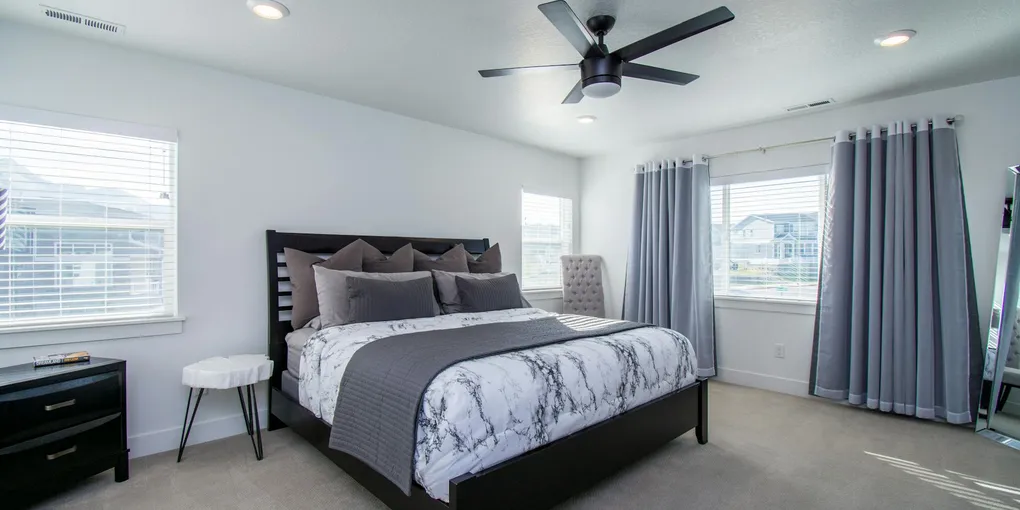
A wobbling ceiling fan almost always has one or more loose screws. Before balancing: (1) Turn off the fan and tighten every screw — the canopy screws at the ceiling, the mounting bracket screws, and especially the blade bracket screws where the blade attaches to the motor housing. (2) Check that all blades are at the same pitch by measuring each blade's height from the floor — they should all be identical. (3) If it still wobbles after tightening: use a [blade balancing kit](https://www.amazon.com/s?k=ceiling+fan+blade+balancing+kit&tag=fixupfirst-20) (clips and weights) to identify and correct the imbalanced blade.
Frequently Asked Questions
What actually causes a ceiling fan to wobble?
Three main causes: (1) Loose hardware — the most common. Blade bracket screws loosen over time from vibration. Loose mounting hardware at the ceiling can cause movement that looks like wobble. Check every screw before anything else. (2) Blade imbalance — one blade is lighter or at a different pitch than the others, creating uneven aerodynamic load. Often happens after a blade swap or if a blade warped from humidity. (3) Bent blade bracket — the metal bracket that connects the blade to the motor housing got bent, changing that blade's pitch. Visually compare brackets side-by-side.
How do I use a blade balancing kit?
A blade balancing kit includes plastic balancing clips and adhesive weights. Process: clip one balancing clip to the trailing edge of one blade, at the midpoint. Run the fan at medium speed. If wobble decreases: that's the unbalanced blade. Move the clip toward the tip or the midpoint until wobble is minimized, then stick an adhesive weight in that position on top of the blade. If wobble increases with the clip: try the next blade. Work systematically around all blades.
All the screws are tight and the blades are balanced, but it still wobbles. What now?
Check the ceiling mounting point. Turn off the fan, open the canopy (the decorative cover against the ceiling), and check: (1) Is the mounting bracket firmly attached to the ceiling box? The ceiling box must be a fan-rated box — a standard light fixture box is not strong enough and will allow movement. (2) Is the downrod fully seated in the mounting ball? The ball-and-socket mount allows the fan to swing slightly on vaulted ceilings but should lock securely on flat ceilings. (3) Is there any play in the downrod-to-motor connection? Tighten the setscrew if present.
Is a wobbling ceiling fan dangerous?
A slightly wobbling fan on a properly rated and installed ceiling box is not dangerous — it is annoying and a maintenance issue. A significantly wobbling fan, or one where hardware is visibly loose, should be taken down and inspected. The risk: if the mounting screws or the ceiling box fails, the fan can fall. Ceiling boxes rated for fans are rated for 35 lbs and the dynamic load of a spinning fan. A standard light box is not — if the box is the wrong type and is loose, this is a genuine safety issue worth addressing immediately.
My fan wobbles only at high speed. Is that normal?
Some wobble at high speed is normal for longer (52-inch+) fans due to resonance between the blade span and the mount. Minor wobble at high speed that goes away at medium is not a structural concern. Significant wobble at any speed: check the hardware. If you can only use medium speed due to wobble: a balancing kit usually solves it. A fan that has always wobbled at high speed since installation may have blades that aren't perfectly matched — balancing kit is the fix.
A wobbling ceiling fan almost always has one or more loose screws. Before balancing: (1) Turn off the fan and tighten every screw — the canopy screws at the ceiling, the mounting bracket screws, and especially the blade bracket screws where the blade attaches to the motor housing.
Most ceiling fan wobble is loose screws. Start there before buying anything.
What you need
- Screwdrivers (Phillips and flathead)
- Step stool or ladder
- Tape measure (to check blade height)
- Ceiling fan balancing kit ($5–$10)
Step 1: Turn off the fan and wait for blades to stop
Never work on a moving fan.
Step 2: Tighten all hardware
Tighten in this order:
- Canopy screws — open or press the canopy against the ceiling and tighten the screws that hold it to the mounting bracket
- Mounting bracket screws — the screws attaching the mounting bracket to the ceiling box
- Blade bracket screws — the two screws on each blade bracket where it connects to the motor housing. These loosen most frequently.
- Blade-to-bracket screws — the screws fastening the blade itself to the bracket
This step alone fixes the majority of wobbly ceiling fans.
Step 3: Check blade heights
Measure from the floor to the leading edge tip of each blade. All blades should be at the same height — variation of more than 1/8 inch indicates a blade or bracket at the wrong pitch.
If one blade is low: look at its bracket. If the bracket is visibly bent (compare to the others), replace just that bracket ($5–$15, available from the fan manufacturer or hardware stores by fan brand).
Step 4: Balance with a balancing kit
If the fan still wobbles after tightening and confirming blade heights:
Clip the balancing clip to the trailing edge of blade 1, at the midpoint. Run the fan at medium speed. Note whether wobble improved, stayed the same, or got worse.
Move the clip to blade 2 and repeat. Continue through all blades until you find the one that reduces wobble when clipped.
On the identified blade: move the clip toward the tip to test, then toward the motor end. Find the position that minimizes wobble. Stick an adhesive weight from the kit at that position.
Related guides
- How to Install a Ceiling Fan — full installation when replacement is needed
- How to Install a Ceiling Fan With No Existing Wiring — new installation
- How to Replace a Light Switch — add a separate fan/light control
- How Much Does It Cost to Install a Ceiling Fan? — pro installation pricing if the wobble turns into a full replacement
- Turn off the fan and wait for blades to stop
Never work on a moving fan. Turn off the fan at the wall switch and wait until all blades have completely stopped before touching any hardware.
- Tighten all hardware
Work in order from the ceiling down: tighten the canopy screws that hold the cover to the mounting bracket, then the mounting bracket screws attaching it to the ceiling box, then the blade bracket screws at each blade's connection to the motor housing (these loosen most frequently), then the blade-to-bracket screws fastening each blade to its bracket. This step alone fixes the majority of wobbly ceiling fans.
- Check blade heights
Measure from the floor to the leading edge tip of each blade. All blades should be at identical heights — variation of more than 1/8 inch indicates a blade or bracket at the wrong pitch. If one blade is low, inspect its bracket: a visibly bent bracket (compare to the others) should be replaced ($5–$15 from the fan manufacturer).
- Balance with a balancing kit
If the fan still wobbles after tightening: clip the balancing clip to the trailing edge of blade 1 at its midpoint. Run the fan at medium speed and note if wobble improved or worsened. Move the clip to each blade in turn until you find the one that reduces wobble when clipped. On the identified blade, move the clip toward the tip then toward the motor end to find the optimal position, then press the adhesive weight from the kit onto that spot on top of the blade.
Free: 10-Point Home Maintenance Checklist
Prevent costly repairs with this seasonal checklist. Save hundreds every year by catching problems early.
Your checklist is ready!
Open Checklist →Something went wrong. View the checklist here.