How to Fix a Doorbell That Doesn't Ring: Button, Transformer, and Chime Diagnosis (2026)
A doorbell that doesn't ring has a failed button, a dead transformer, or a disconnected chime wire. This guide covers testing each component with a multimeter and the order of repair from simplest to most involved.
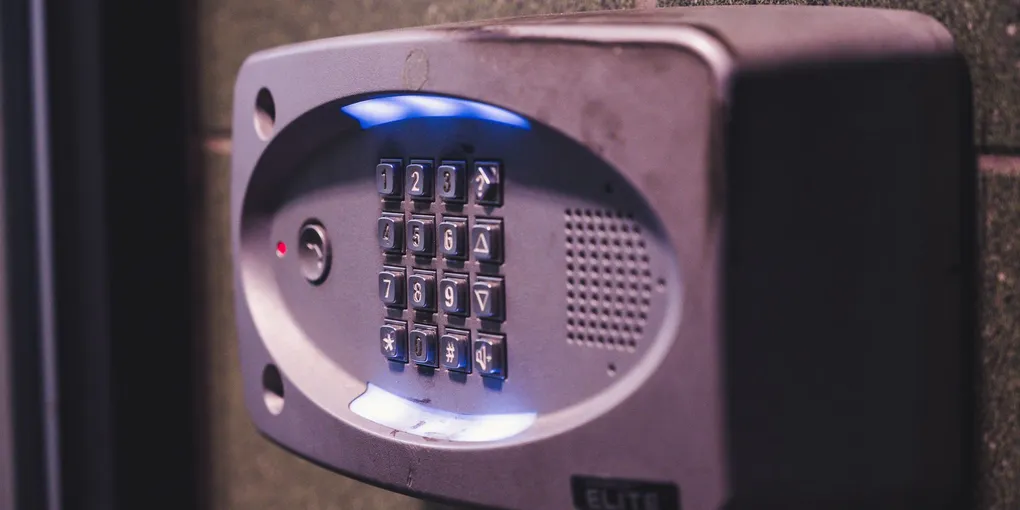
Doorbell not ringing: start at the button. Unscrew the doorbell button and touch the two wires together (bypass the button) — if the chime rings, the button is faulty. Replace the button ($5–$15). If shorting the wires doesn't produce a ring: the transformer or chime is the problem. Check the transformer (typically 16V output) with a multimeter at the secondary terminals. No voltage = failed transformer or no power to the transformer. Replace or reset circuit.
Frequently Asked Questions
Where is the doorbell transformer and how do I find it?
The doorbell transformer is a small box that steps household 120V power down to 16V (or sometimes 8V or 24V) for the doorbell circuit. Common locations: attached to the side of the electrical panel box, inside the panel box (mounted on the outside face), inside the hallway closet on the wall near the front door, in the basement or utility room on a joist or stud, or inside the attic near the front of the house. It will have two small screw terminals on the front (the low-voltage output to the bell circuit) and is wired directly into a junction box or directly to the electrical panel. The transformer runs 24/7 and may be warm to the touch.
How do I test a doorbell transformer?
Set a multimeter to AC voltage, 50V range. Touch the probes to the two low-voltage screw terminals on the transformer face (the small terminals where the doorbell wires connect, not the 120V wiring side). A working 16V transformer reads 14–18V AC. A dead transformer reads 0V. If you read 0V: confirm the transformer has 120V input by checking whether the circuit breaker that feeds it is on (doorbell circuits often share a breaker with another circuit — check for a breaker labeled 'door bell' or 'chime'). If the breaker is on and the transformer reads 0V: the transformer has failed — replace it.
How do I replace a doorbell button?
The doorbell button is low-voltage (16V) — no shock risk from the doorbell wires. Unscrew the button from the door frame. Two small wires connect to the back. Touch the two wires together — if the chime rings, the button is confirmed bad. Disconnect the two wires. Install the new button by connecting the two wires to the screw terminals (polarity doesn't matter on a simple button). Screw the button to the wall. Most buttons use a standard mounting hole spacing — any replacement button will fit. Lighted buttons ($10–$20) are slightly better because you can see the LED is on, confirming the circuit has power.
My doorbell is connected to a smart doorbell now and the chime stopped working. What happened?
Smart doorbells (Ring, Nest, Eufy) require specific voltage to operate. If the existing transformer is an older 8V transformer: it may be insufficient for a smart doorbell that needs 16V. Upgrade the transformer to 16V/20VA or higher. Some smart doorbells bypass the mechanical chime entirely and play sound through the device itself or through smart speakers — in that case, disable the mechanical chime per the smart doorbell's instructions to prevent buzzing or constant chime triggering. Most smart doorbell kits include a power kit (a small device that wires into the chime) to regulate voltage and prevent the chime from buzzing.
Can I add a new doorbell chime location to ring in a different room?
Yes — you can run additional chime units in parallel from the same transformer circuit. The transformer output connects to all chimes in parallel (same two wires run to each chime). Each additional chime adds load — make sure the transformer is rated for the combined VA requirement. A single standard mechanical chime needs about 10VA; adding a second chime requires at least a 20VA transformer. Modern wireless add-on chimes (Honeywell, Heath Zenith) are simpler: they plug into an outlet and are triggered by a radio signal from the existing doorbell button, requiring no new wiring.
Doorbell not ringing: start at the button. Unscrew the doorbell button and touch the two wires together (bypass the button) — if the chime rings, the button is faulty.
Test the button first — it’s the most common failure point and the easiest fix.
What you need
- Screwdriver
- Multimeter (for transformer testing)
- Replacement doorbell button ($5–$15)
- Replacement transformer 16V ($10–$20, if transformer is the issue)
Step 1: Test the button (bypass test)
Unscrew the doorbell button from the door frame. Pull it out to expose the two wires on the back. Touch the two bare wire ends together (hold with your fingers — the low voltage is safe). If the chime rings: the button is bad, replace it. If no ring: the issue is the transformer or chime.
Step 2: Check the transformer
Locate the transformer (see FAQ above). Set a multimeter to AC voltage. Touch the probes to the two low-voltage terminals on the transformer face. A working transformer reads 14–18V.
0V reading: check the circuit breaker first, then replace the transformer if the breaker is on.
Step 3: Check the chime
If the transformer reads correct voltage but the chime doesn’t ring when the button wires are touched together: the chime unit may be faulty. Remove the chime cover (usually snaps or slides off). Confirm the wires are connected securely to the terminals. Look for a stuck striker or plunger — the mechanical striker inside should move freely. Tap the plunger manually — it should make a tone. If the chime mechanism is stuck: clean with compressed air. If failed: replace the chime ($15–$40).
Step 4: Replace the button
Disconnect the two wires from the old button. Connect them to the screw terminals on the new button (polarity doesn’t matter). Mount the button and screw into place. Test.
Related guides
- How to Install a Smart Doorbell — upgrade to Ring, Nest, or Eufy
- How to Fix a Light Fixture That Flickers — related low-voltage wiring troubleshooting
- Best Home Security Cameras — add a security camera system after your doorbell is back in service
- Test the button with a bypass
Unscrew the doorbell button from the door frame and pull it out to expose the two wires. Touch the two bare wire ends together — the low voltage is safe. If the chime rings: the button is bad, replace it. If no ring: the issue is the transformer or chime.
- Test the transformer voltage
Locate the doorbell transformer (on the side of the electrical panel, in a hallway closet, or in the basement). Set a multimeter to AC voltage, 50V range. Touch probes to the two low-voltage screw terminals on the transformer face. A working transformer reads 14–18V. A 0V reading means the transformer has failed or the circuit breaker feeding it has tripped — check the breaker first.
- Inspect the chime unit
If the transformer reads correct voltage but the chime doesn't ring when button wires are shorted: remove the chime cover. Confirm the wires are connected securely to the terminals. Look for a stuck striker or plunger — tap it manually, it should produce a tone and move freely. Clean with compressed air. Replace the chime unit ($15–$40) if the mechanism has failed.
- Replace the doorbell button
Disconnect the two wires from the old button. Connect them to the screw terminals on the new button — polarity does not matter. Mount the button and screw into place. Test by pressing: the chime should ring immediately.
Free: 10-Point Home Maintenance Checklist
Prevent costly repairs with this seasonal checklist. Save hundreds every year by catching problems early.
Your checklist is ready!
Open Checklist →Something went wrong. View the checklist here.